

How you can Properly Control your Website using Mobile Phone
 |
| How to use Blogger on Mobile Phone |
How to use Blogger on Mobile Phone \ Mobile Se Blogger Kaise Use Kare Today, we are going to know about it if you all don't have your own laptop or computer. Also, if you want to, you can use Blogger using your mobile phone and manage your website properly. So we are going to provide complete information on how you can do this. Many of us follow me regularly and ask how to blog on mobile, write an article on it, then I will make a complete article on it.
But today through this article, I am going to tell you that you are Blogger.com. How can you use it in your mobile phone? Similarly, if you want to change the template of your website. All you have to do is write an article, upload an image.
So how can you do a lot of things easily using your mobile? You are going to give complete information about it in this article.
How to use Blogger on Mobile Phone/Mobile Se Blogger Kaise Use?
So, let me tell you in detail, use Mobile Se Blogger Kaise. So see if you want to manage your Blogger website with your mobile phone. So here are two easy ways to do it. The first way is to open Blogger.com in different versions of the desktop in your mobile browser. The other way is through Blogger itself, that if you have a mobile phone, you can go to the Google Play Store and download their mobile application.
That is, if you do not have a laptop or computer, you go to the Play Store, you have to find Blogger there and you will find the official application of Blogger.com there. You have nothing to do.
Now I give you complete information, use Mobile Se Blogger Kaise. The first thing that gets in our way is to use a mobile browser. If you have an Android phone, you will find Google Chrome or another browser in it. First of all, you need to open a browser. After that, you will see the 3 dot option on the top right, you have to click on it. There you will find the desktop site application option.
As soon as you click on this option, your mobile browser will start working as a computer. So you can manage your entire browser website. You can write articles, you can do everything.
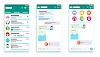
The second one that gets in our way is you can blog on your mobile phone or you can use Blogger.com. The first step you need to take on the Google Play Store is to maintain Blogger's official mobile application on Google.
There you will find Blogger's mobile application, you have to install this application in your Android phone, then you will see all the options there, if you want to delete your article, You can do this too. If you want to write a new article, you can do this, you can edit the article.
It's easy to say that you can manage your entire browser website through your mobile application.
Through this article, I told you about Mobile Se Blogger Kaise Use Kare. If you like this article, you should definitely share this article with your friends or people in need. If you're still confused, you don't understand. So your friends, let us know in the comments section, we will definitely answer you, we will definitely explain it to you, at the same time we will meet in another new article.




0 Comments